Skip to product content
Generation Faraday
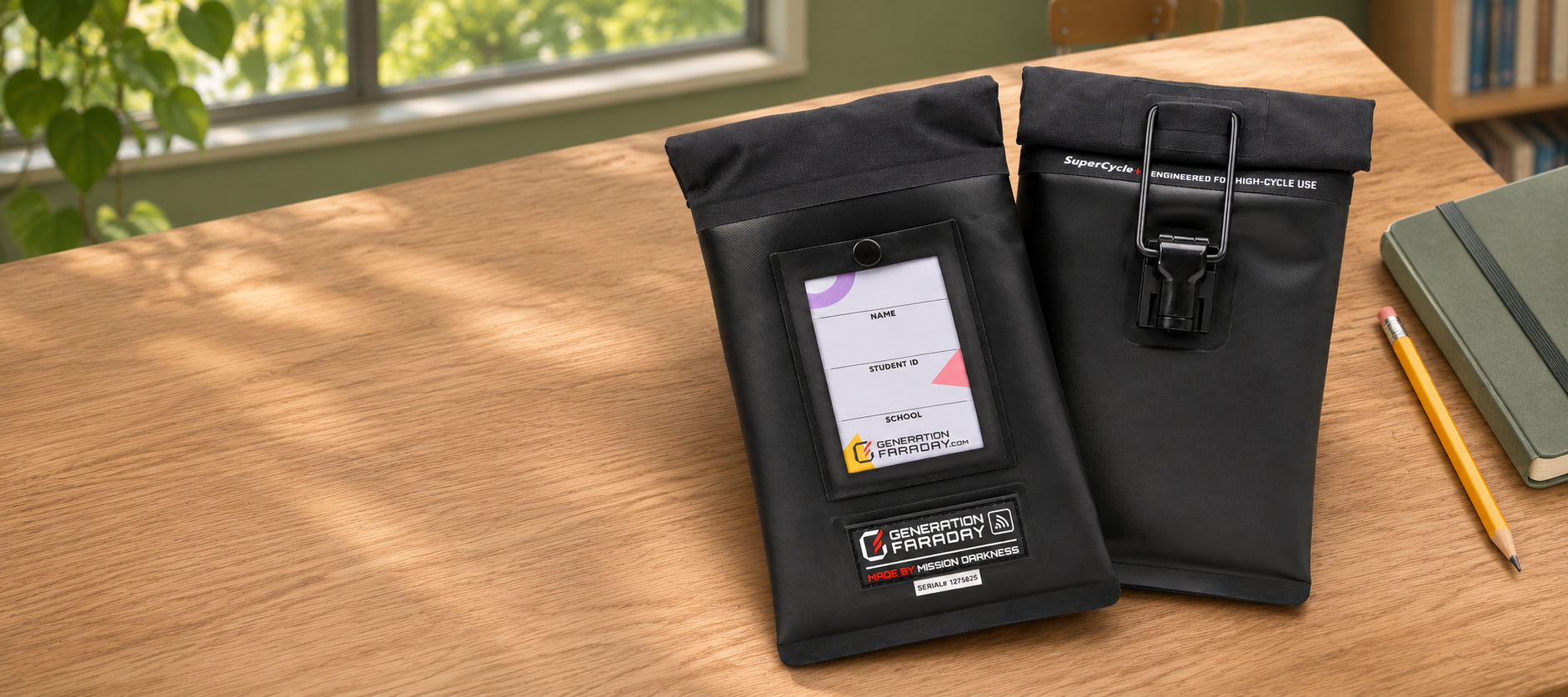
Max Lock bags on a warm classroom desk, with the ID window and locking clasp visible at right; illustrative scene
← All productsOur flagship phone bag

Max Lock.

Signal blockingThe Faraday liner blocks wireless signals when the bag is properly sealed.

Their phone. Your phone-free school day.

A signal-blocking bag students keep with them. A staff-controlled lock. A school-wide routine built around learning.

School and district configurations · Bags, storage and unlocking tools

Illustrative classroom setting · Actual product details shown throughout.

Made for the school day

Phones stay with students.
Focus stays in the room.

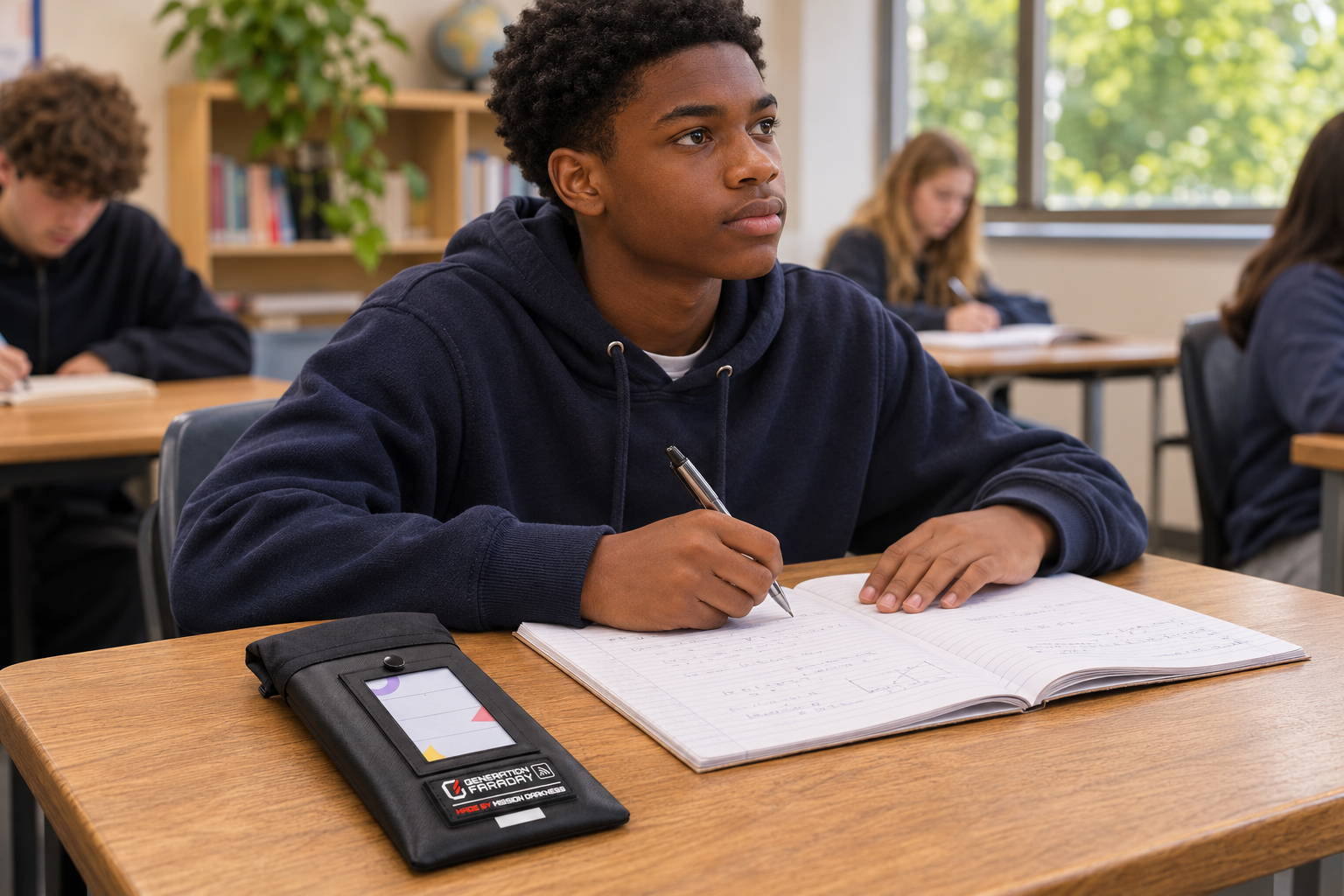
Max Lock brings a clear physical routine to your phone policy: put the phone away, close and lock the bag, then unlock with staff at the agreed time.

Student using a realistically sized Max Lock phone bag at a classroom desk; illustrative school scene
Illustrative school use. Schools set their own access, accommodation and emergency procedures.
01 / Possession

One bag. One student.

The phone stays in its assigned pouch, ready for a consistent arrival and release routine.

02 / Protection

Close the connection.

The correctly closed Faraday lining isolates cellular, Wi-Fi and Bluetooth connections.

03 / Access

A release point that fits.

Plan mounted, freestanding or handheld unlocking tools around the way your campus moves.

A routine everyone can follow

From first bell to final unlock.

Explore the four parts of a Max Lock school day.

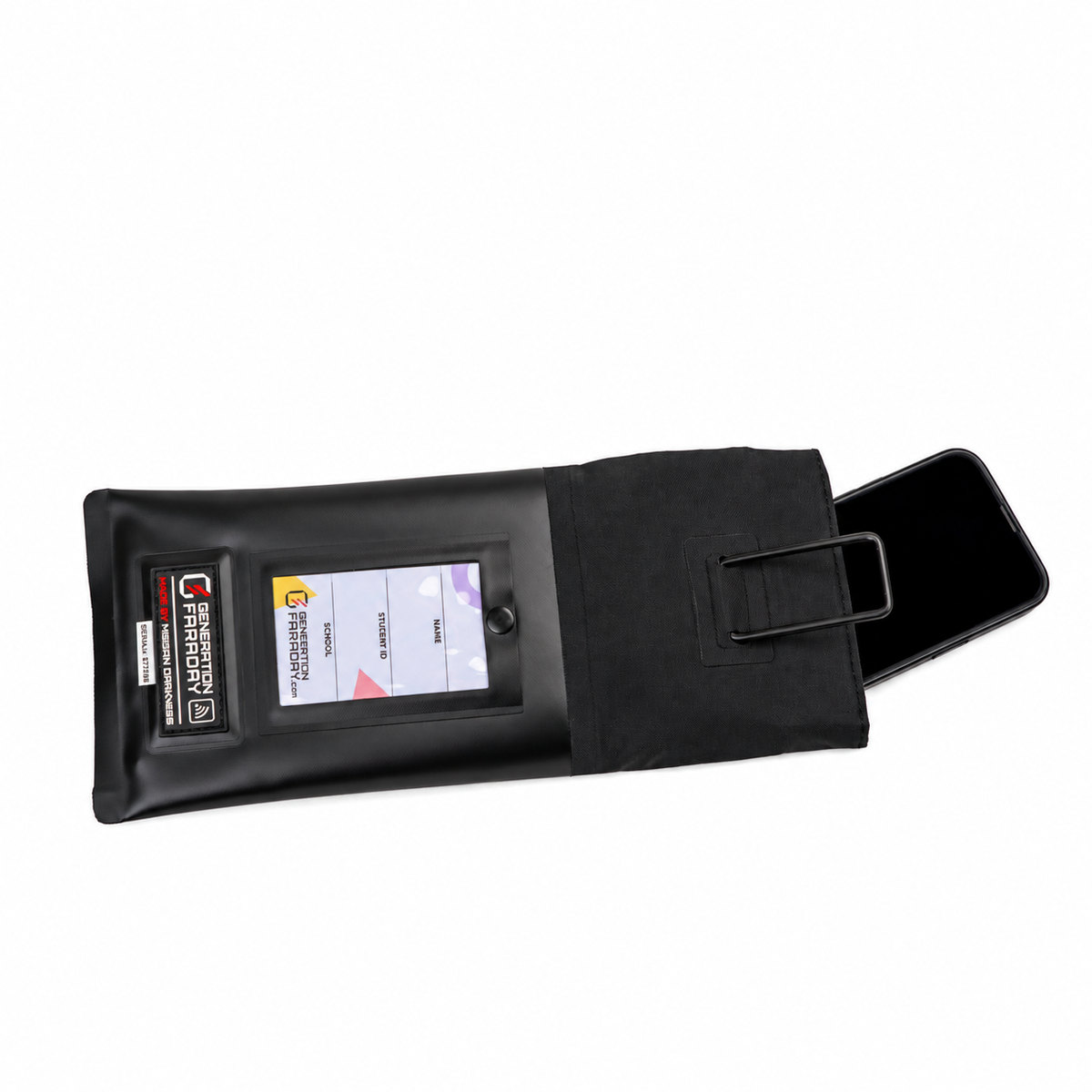
Put it in. Roll. Lock.

Place the phone fully inside. Follow the double-roll closure instructions, then secure the rectangular ring with the locking clasp.

Read the official usage guide
Authentic Max Lock product photograph showing a phone entering the open pouch before the roll-and-lock closure
Authentic product photograph. The bag is shown open; signal blocking requires the complete closure.
Look closer

Every detail has a job.

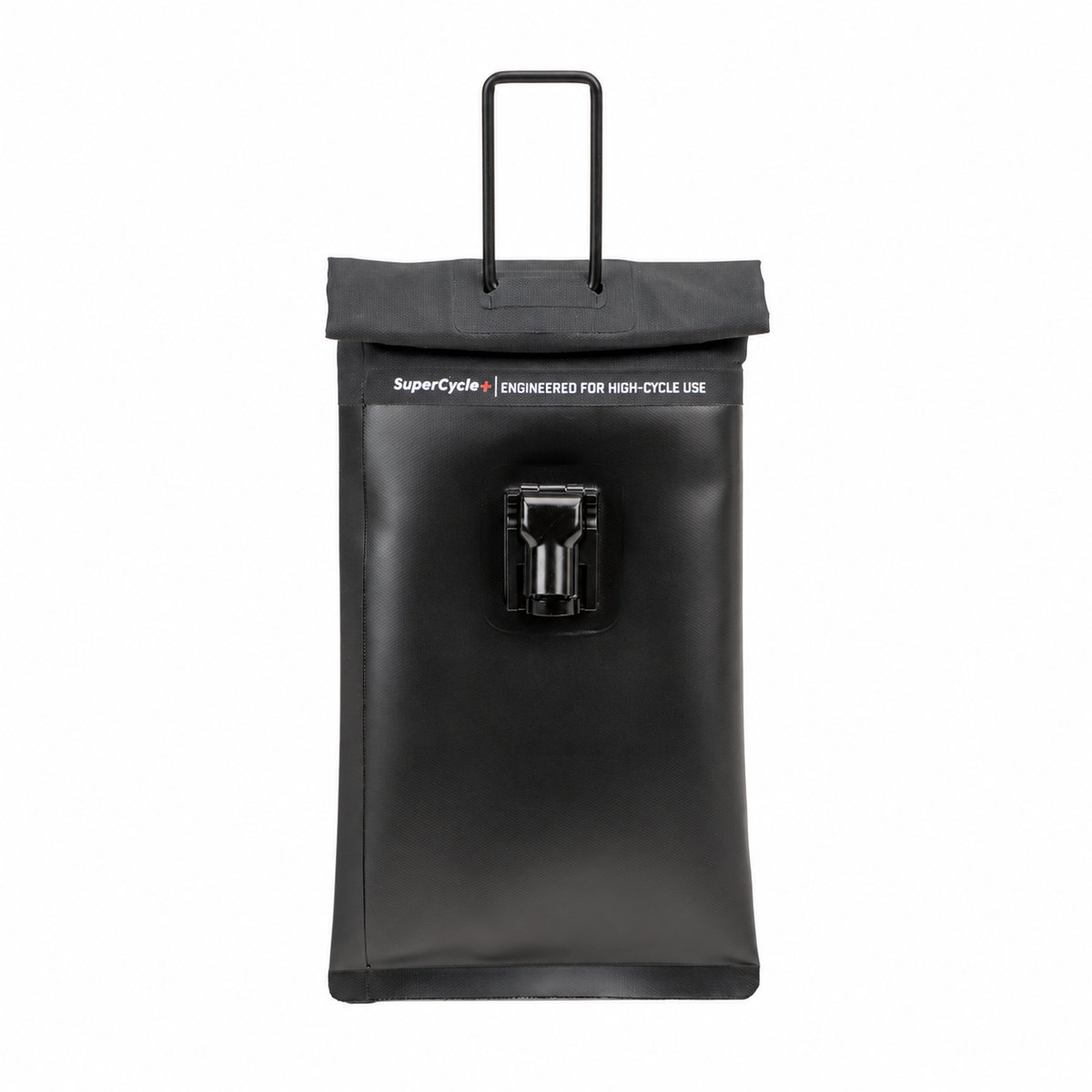
Actual Max Lock bag with its rectangular ring released above the roll-top opening01 / Seal

A deliberate double roll.

The magnetic roll-top closure and Faraday lining work together when the bag is fully closed.
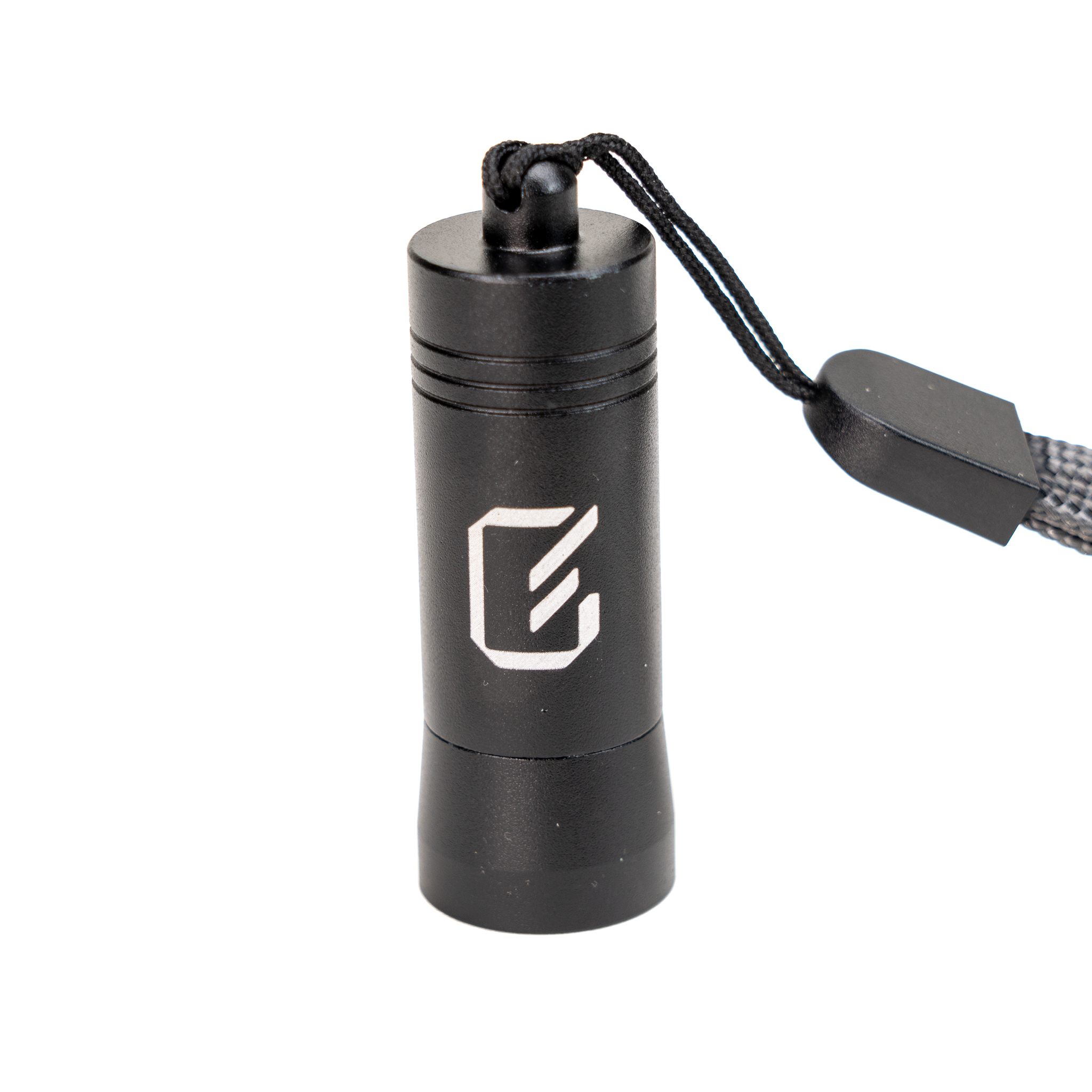
Actual Max Lock clasp released with a handheld unlocking key02 / Lock

Access stays intentional.

The clasp secures the rectangular ring. A compatible unlocking tool releases it from the bottom.
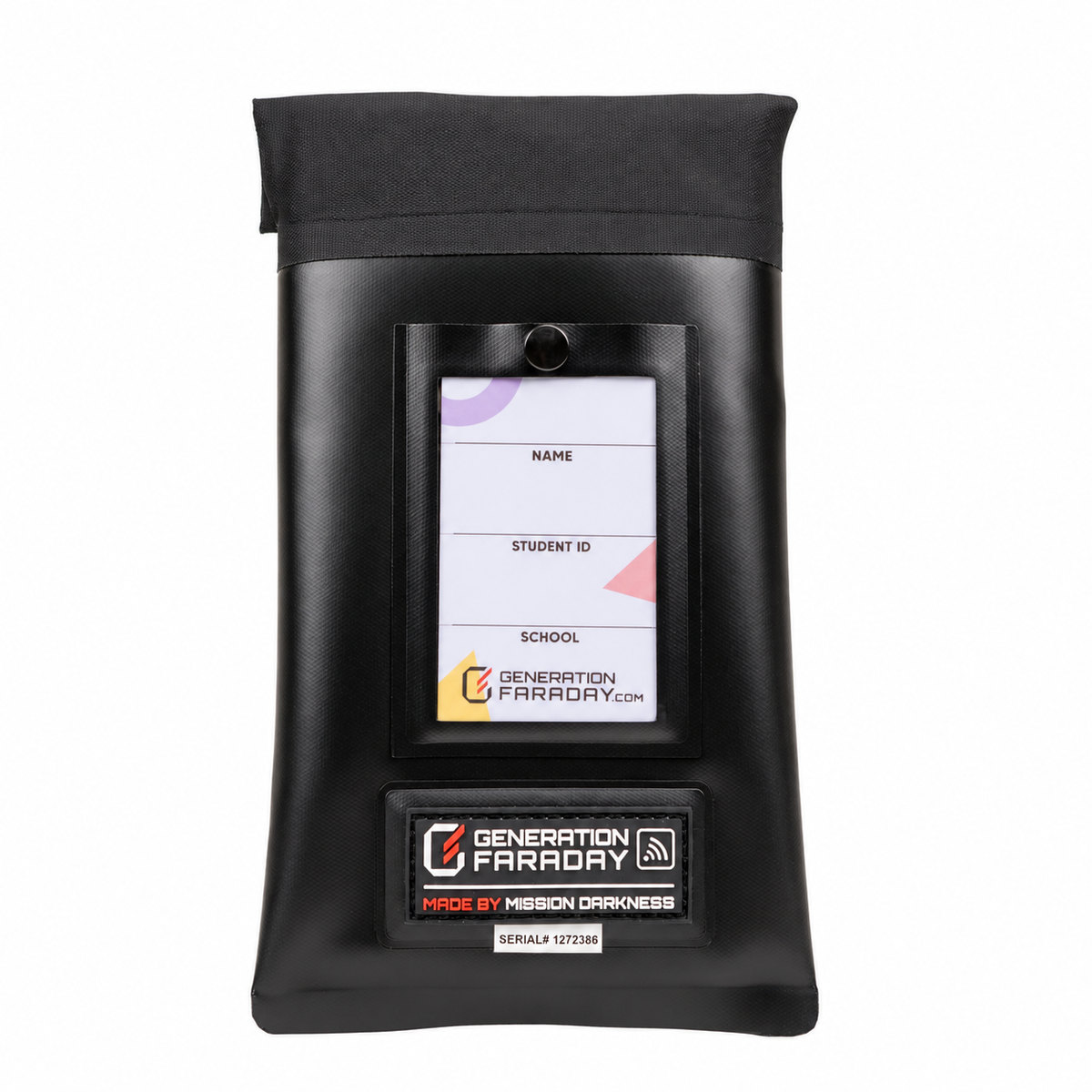
Actual Max Lock front showing the student ID window, Generation Faraday rubber tag and serial label03 / Identify

Easy to make it theirs.

An ID window, serial number and RFID identifier support bag assignment and inventory records.

These three views are authentic product photographs. Select a photo to see the original.

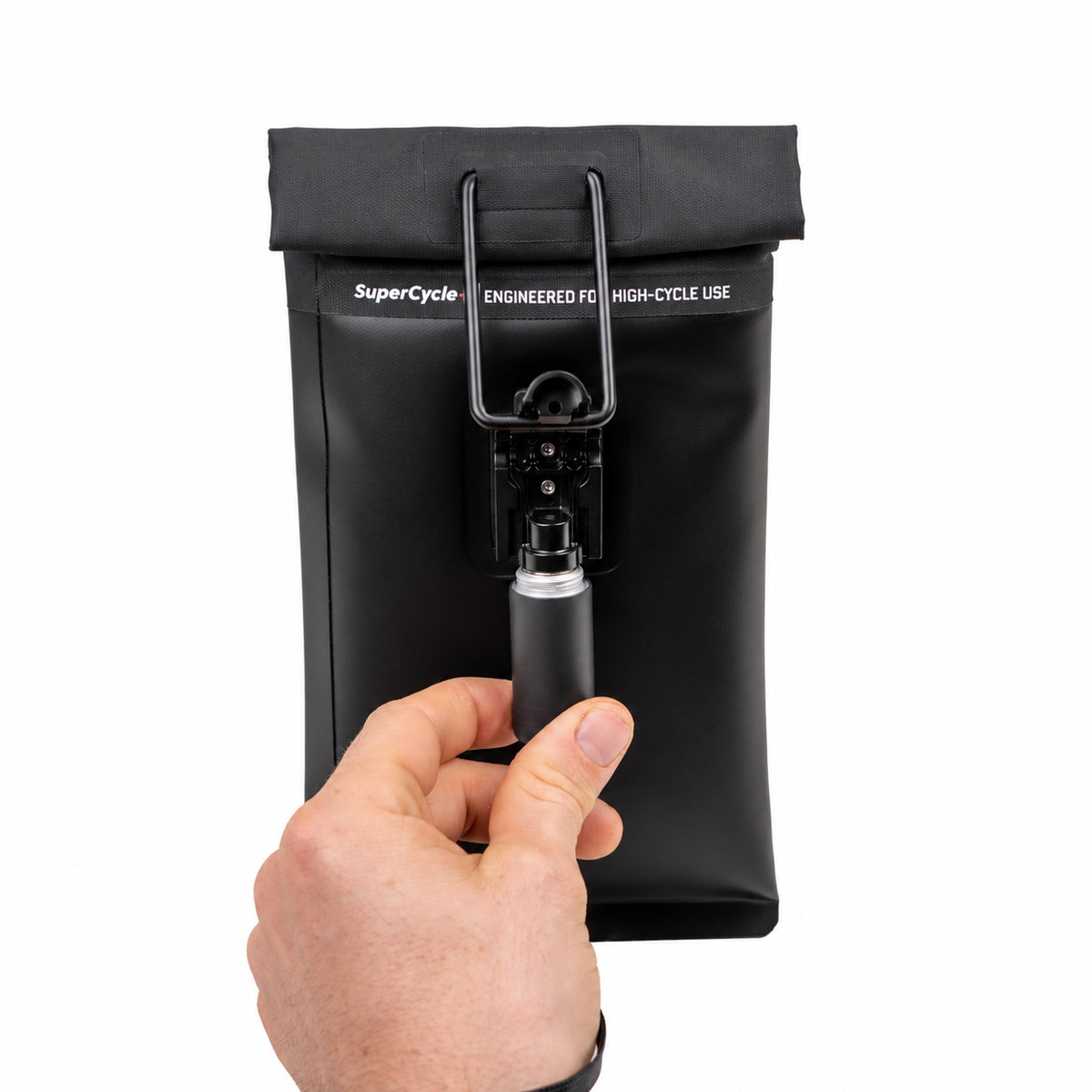
SuperCycle+ · Built for repeat use

A closure with
the school day in mind.

2,000+manufacturer-reported
open-and-close test cycles

In its reported durability testing, Max Lock averaged more than 2,000 complete opening and closing cycles and continued blocking wireless signals afterward.

See the published test results

Test conditions and handling affect performance. Cycle counts are not a guaranteed service life. Detailed comparison data is available from Generation Faraday on request.
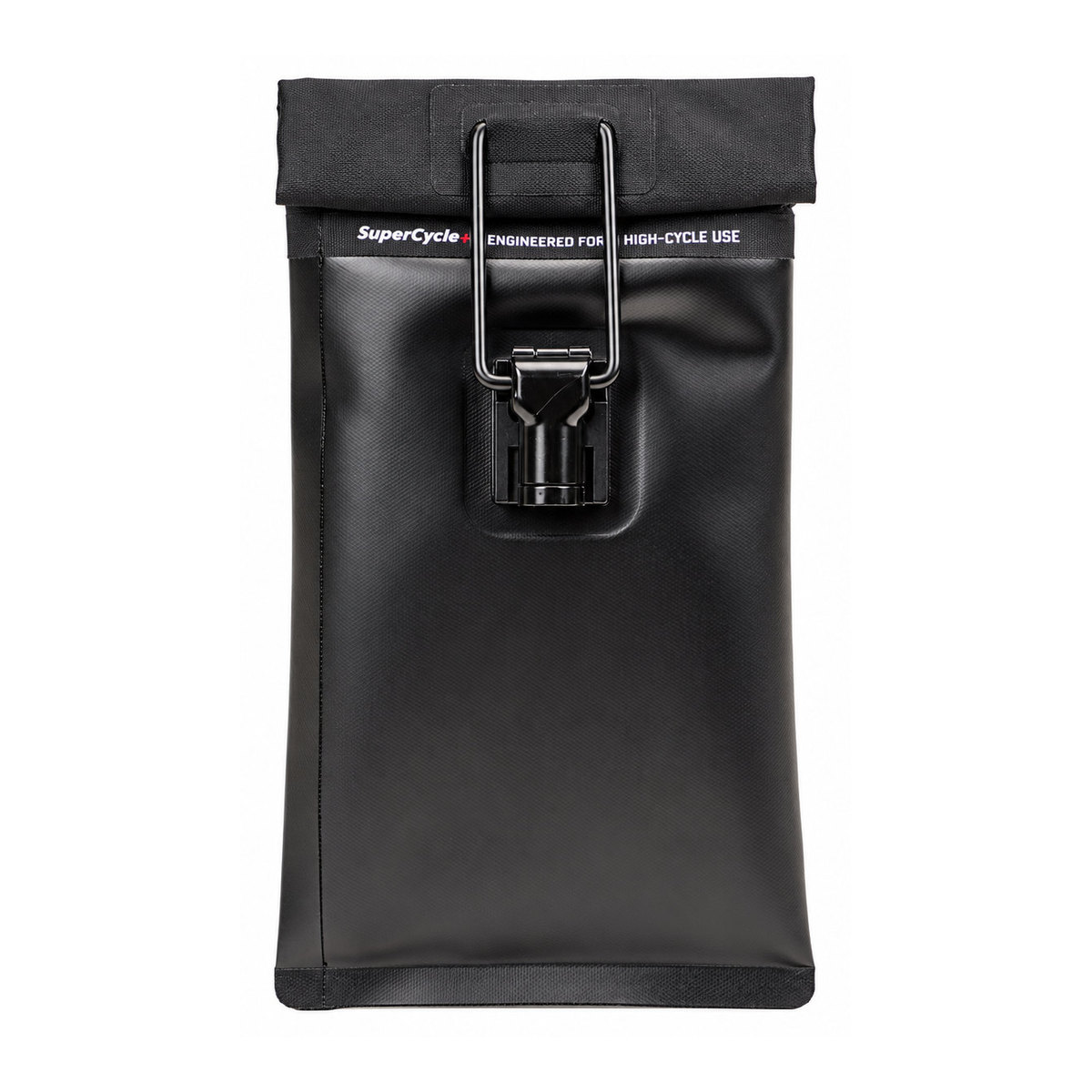
Authentic closed Max Lock back view showing the SuperCycle+ band, rectangular ring and locking claspExplore SuperCycle+Close SuperCycle+ details

Small detail. Serious durability.

Made for the daily repeat: close, carry, collect, and release—with durability built in.

2,000+ test cycles. Max Lock kept blocking wireless signals afterward in manufacturer testing.

Manufacturer-reported results. Service life varies with use and care.

Explore the published test results
The actual SuperCycle+ closure. Built for repeated collection, handling and release.
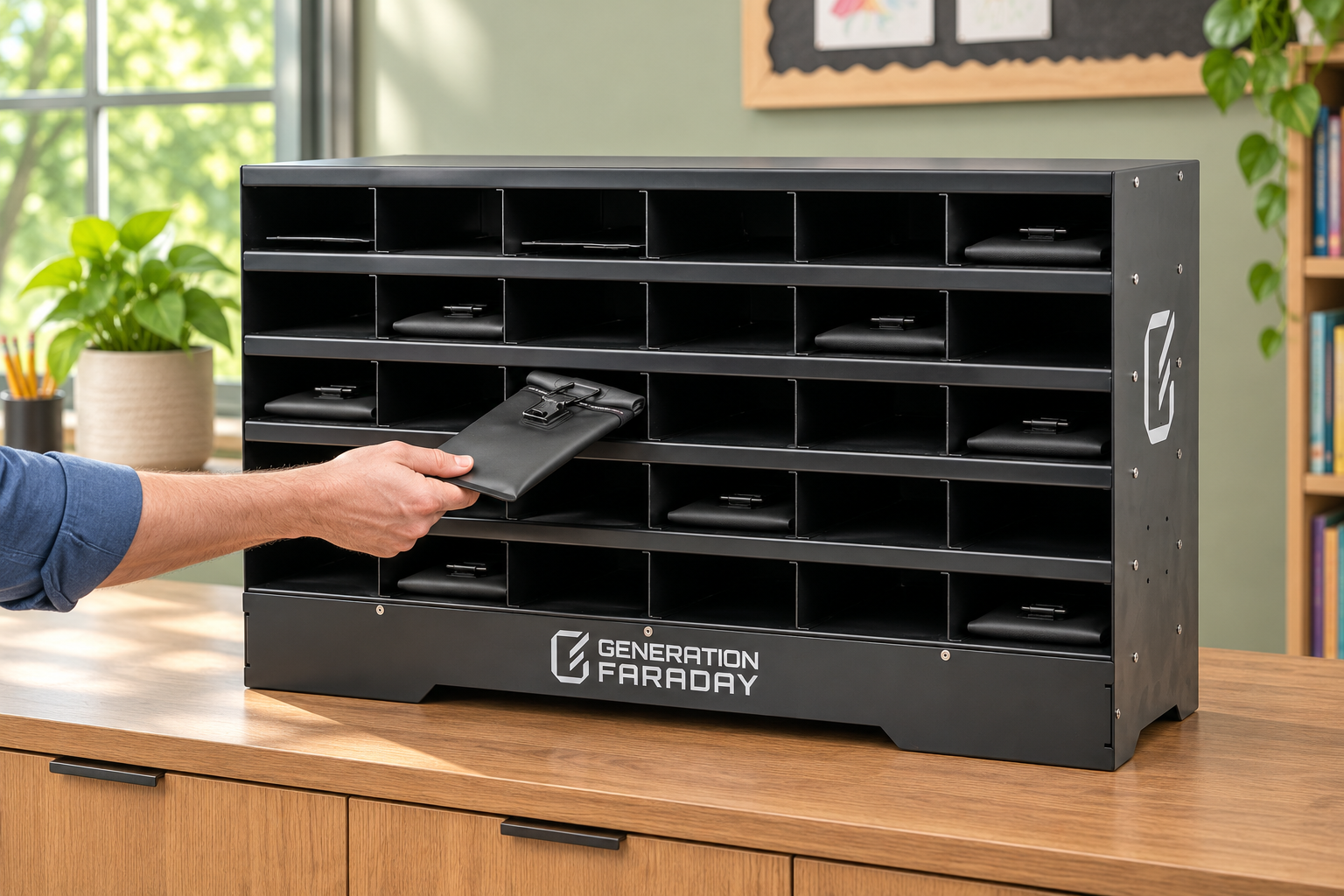
Max Lock pouch being placed flat into an aluminum Class Phone Organizer in a classroom; illustrative scene
Illustrative classroom storage. Pouches slide horizontally into the cubbies.
Collected? Keep it organized.

A home for
every bag.

For classrooms that collect devices, pair Max Lock with the Class Phone Organizer. Its 30 individual cubbies give staff a clear place for each bag.

  • Store pouches flat, with their short end entering the cubby.
  • Use a consistent assignment and return routine.
  • Plan bag and organizer quantities together.
Explore the Class Phone Organizer

Organizer sold separately. Max Lock can also stay with students under your school’s policy.

Plan the moment of release

Make unlocking
part of the flow.

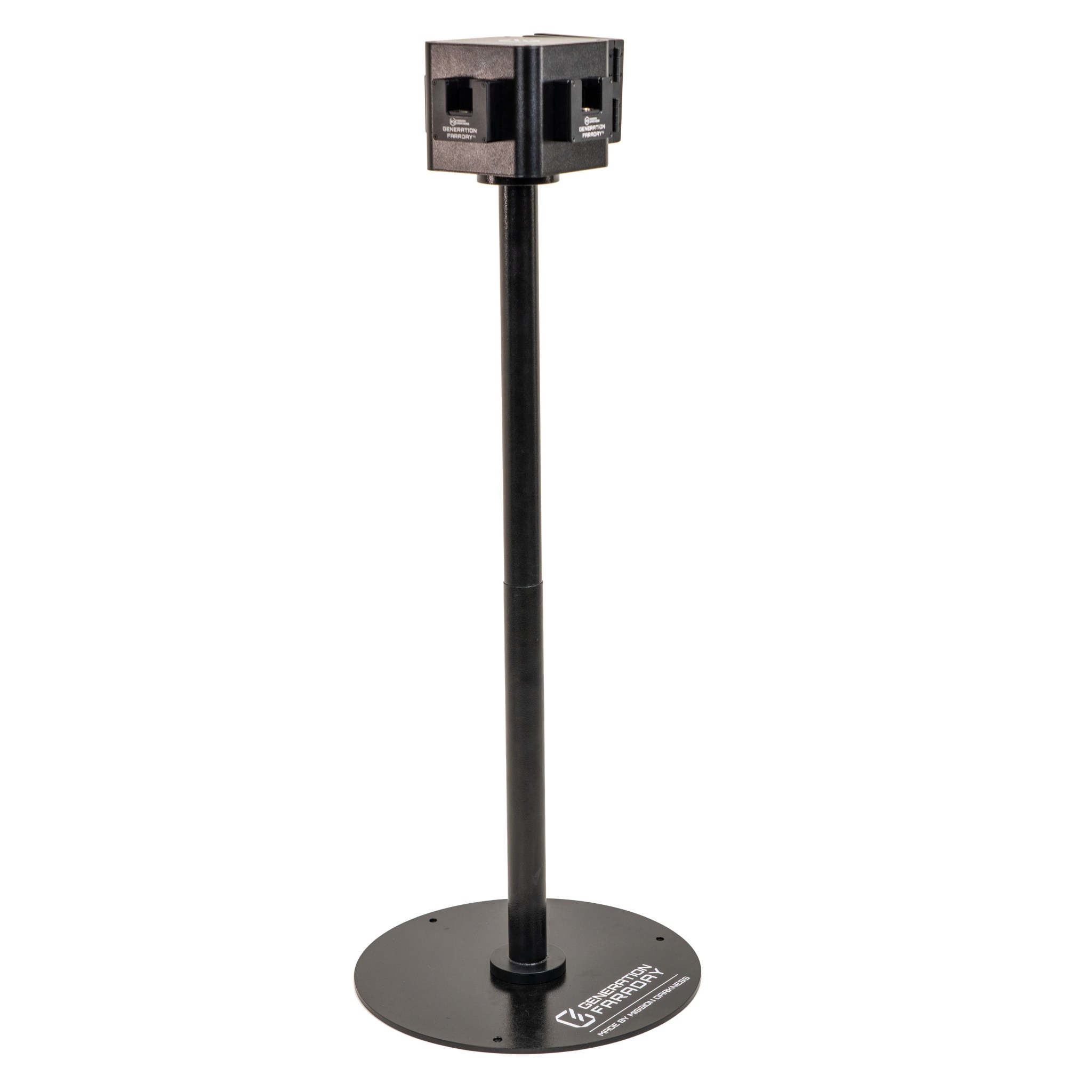
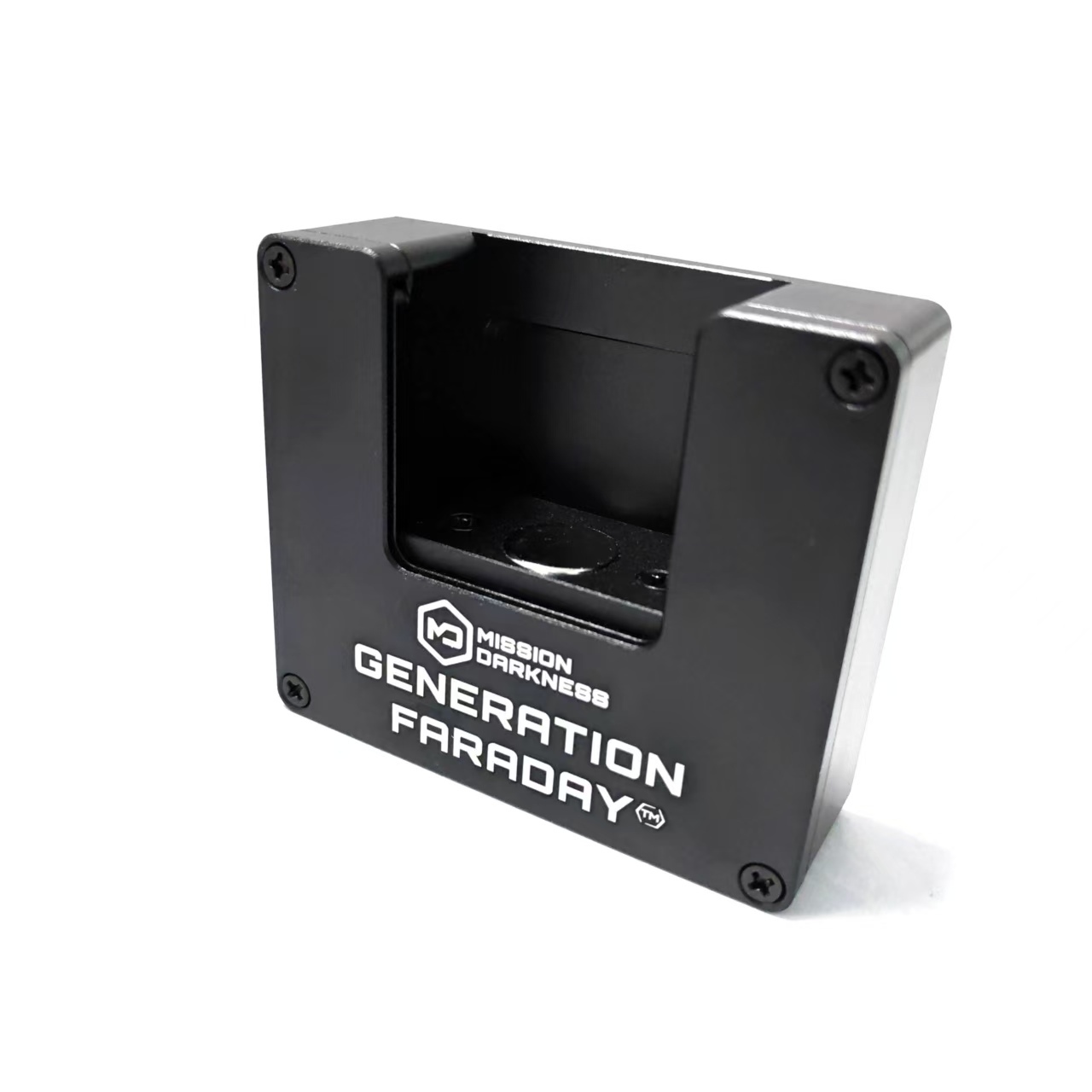
At an exit, in the classroom or with a designated staff member: choose compatible tools around your campus layout and access plan.

Press the bottom of the clasp against the unlocking tool, release the ring and unroll the top. The bag is ready for the next school day.

See a four-door station plan
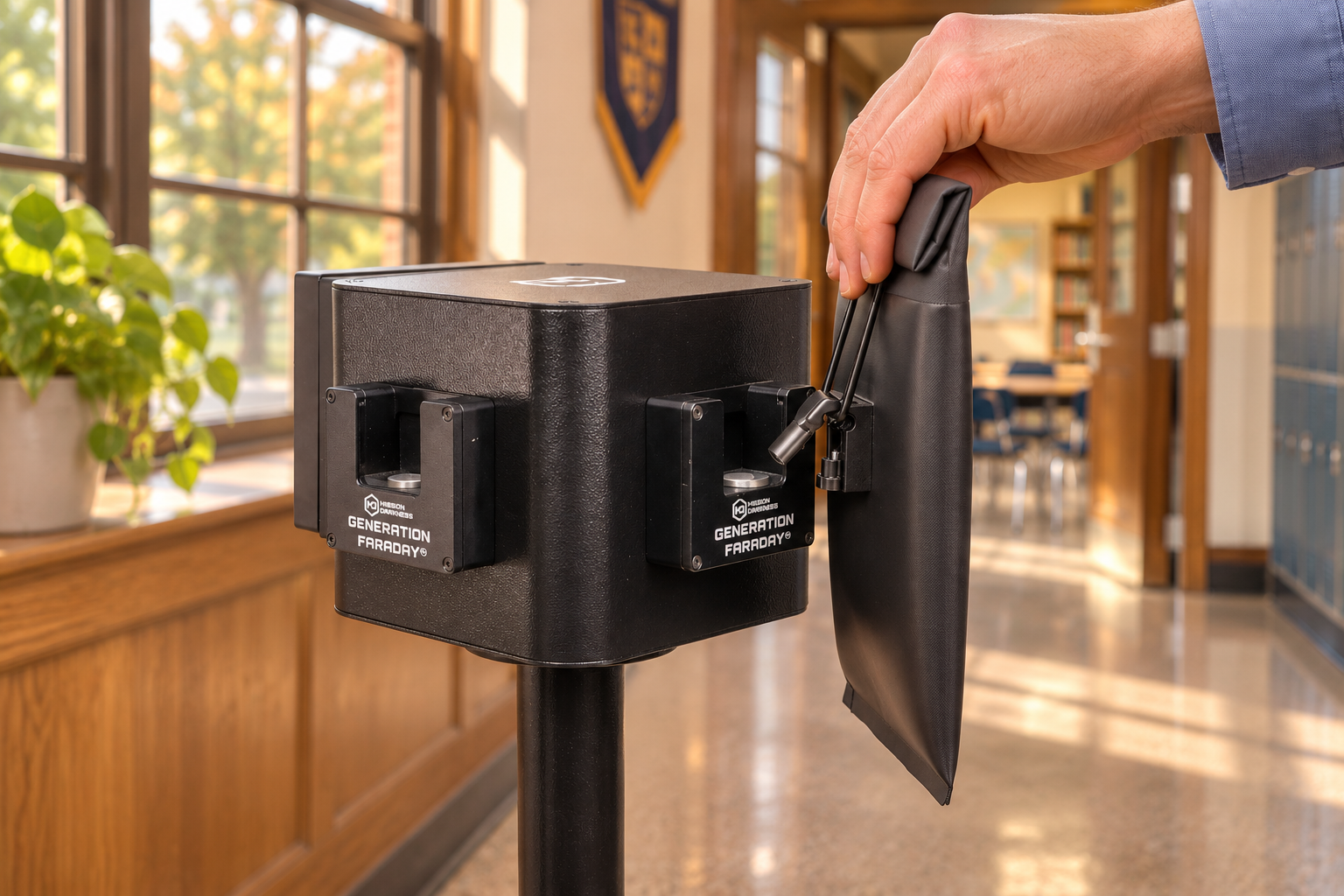
Staff using a Max Lock bag with a freestanding school unlocking station; illustrative scene
Illustrative school scene. Unlocking tools do not scan RFID or record student information.

Authentic tool photographs. Tool types and quantities are confirmed with your school quote.

Max Lock front with the original Generation Faraday rubber RFID label and student ID window
A bag you can account for

Connect the bag
to the student.

The physical ID window makes a bag recognizable. RFID and serial identifiers support assignment and inventory with compatible readers and the Generation Faraday app workflow.

01 Identify the bag02 Assign the student03 Manage the record
Explore the app and RFID workflow

RFID identifies the bag; it does not automatically confirm that a phone is inside. App access and compatible scanning hardware are separate considerations.

The complete picture

Explore Max Lock, inside and out.

Authentic product views, school-use illustrations, specifications and care instructions in one place.

School & district pricing
  • Signal-Blocking Technology
  • Enhanced Locking Mechanism
  • Customizable Options
  • Multiple Unlocking Options

Students keep possession of their phones while staff control when the bags are unlocked. Max Lock combines a double-roll magnetic seal, a locking clasp, a waterproof TPU exterior, and welded seams. Each bag carries a serial number and RFID identifier to support assignment and inventory management. Choose mounted or handheld unlocking tools to suit your arrival, classroom, and dismissal routine; confirm quantities and configuration with your quote.

Signal blocking isolates wireless connections; it does not turn a phone off. Alarms, timers, and downloaded content can still operate. Follow your school’s access and accommodation procedures.

Specifications

Specifications

  • Signal-blocking construction — Properly closed bags isolate cellular, Wi-Fi, and Bluetooth connections. Internal alarms, timers, and downloaded content may still operate.
  • Enhanced Locking Mechanism for Added Security – The integrated locking system is easily unlocked from a central base, providing secure storage for devices.
  • Compatible unlocking tools — Choose mounted or handheld release tools for Max Lock bags. Confirm equipment and quantities in your quote.
  • Built for repeated use — Materials and construction are selected for daily school handling. Actual service life depends on use, care, and opening frequency.
  • Double-roll closure — Follow the product instructions to close the double-roll magnetic seal fully before use.
  • Spacious Interior – Fits a smartphone and a smartwatch, including those with protective cases.
  • RFID and serial identification — Use the bag’s identifiers with compatible readers and software for assignment and inventory records. The identifier does not automatically verify that a phone is inside.
Technical Product Specifications:
  • SKU – GFSB-MAX-LOCK
  • Closed dimensions — 9" L × 5" W × 0.5" D
  • Open dimensions — 11.75" L × 5" W × 0.5" D
  • Tested shielding material — TitanRF Faraday Fabric has testing to MIL-STD-188-125 and IEEE 299-2006. Request the applicable frequency range and documentation; material testing and complete-bag testing are different scopes.
  • Waterproof Construction – Built with 600D and 420D TPU materials, which are strong, waterproof fabrics designed to repel water, dirt, and debris, ensuring long-lasting protection.
  • Protected by Patents and Design Registrations – US Utility Patent No. US11,166,532 B2; US Design Patent Application No. 30/012,553; US Provisional Utility Patent Application No. 63/841,995; EU Registered Design No. 015129730-0001; UK Registered Design No. 6498031.
Usage & Care

Usage & Care

  1. Place the smartphone inside the bag.
  2. Securely close the bag by rolling the top and using the magnetic seal.
  3. Clamp the locking clasp around the metal rectangular ring.
  4. The device will be fully shielded from wireless signals and protected from water and debris.
  5. To unlock the bag, press the bottom of the locking clasp against an unlocking tool.
  6. Wipe the exterior with a soft, damp cloth. Use a soft, dry cloth on the shielding interior. Do not machine wash or scrub; follow the official usage and care guide.
Questions schools ask

Know how
it works.

Does the bag turn a phone off?

No. A properly closed bag blocks wireless connections. Internal alarms, timers and downloaded content can still operate, so your school should communicate the complete phone-use routine.

Do students keep their phones?

They can keep possession of their bagged devices. Schools that collect devices can use compatible storage. Your team defines where bags stay and how access is managed.

How do we handle necessary access?

Plan approved accommodations and emergency access with your school team before rollout. Place compatible unlocking tools where designated staff can support that plan.

What should our quote include?

Plan assigned bags, spare bags, your chosen unlocking tools and any classroom storage together. Generation Faraday can help match the configuration to your campus routine.

Complementary products · Max Lock

Build the routine around your campus.

Start with the bags, then choose the release and organization tools that fit how your school works. These accessories serve different roles; your quote confirms quantities, compatibility and the final configuration.

Choose the optional accessories for your planning conversation.

Plan this setup →

A planning aid, not a purchase or a fixed-price bundle. Selecting an accessory adds its name to your existing quote inquiry.

Put your phone policy into practice

Build your Max Lock setup.

Tell us how your school day works. We’ll help you plan the bags, release points and storage to match.