Skip to product content
Generation Faraday
← All products

Unlocking tools

Unlocking Key

Keep a compact release option close to authorized staff.

A capped magnetic key and attached lanyard give staff a portable option for compatible Max Lock clasps. Plan who carries it, when it is used and where it is kept.
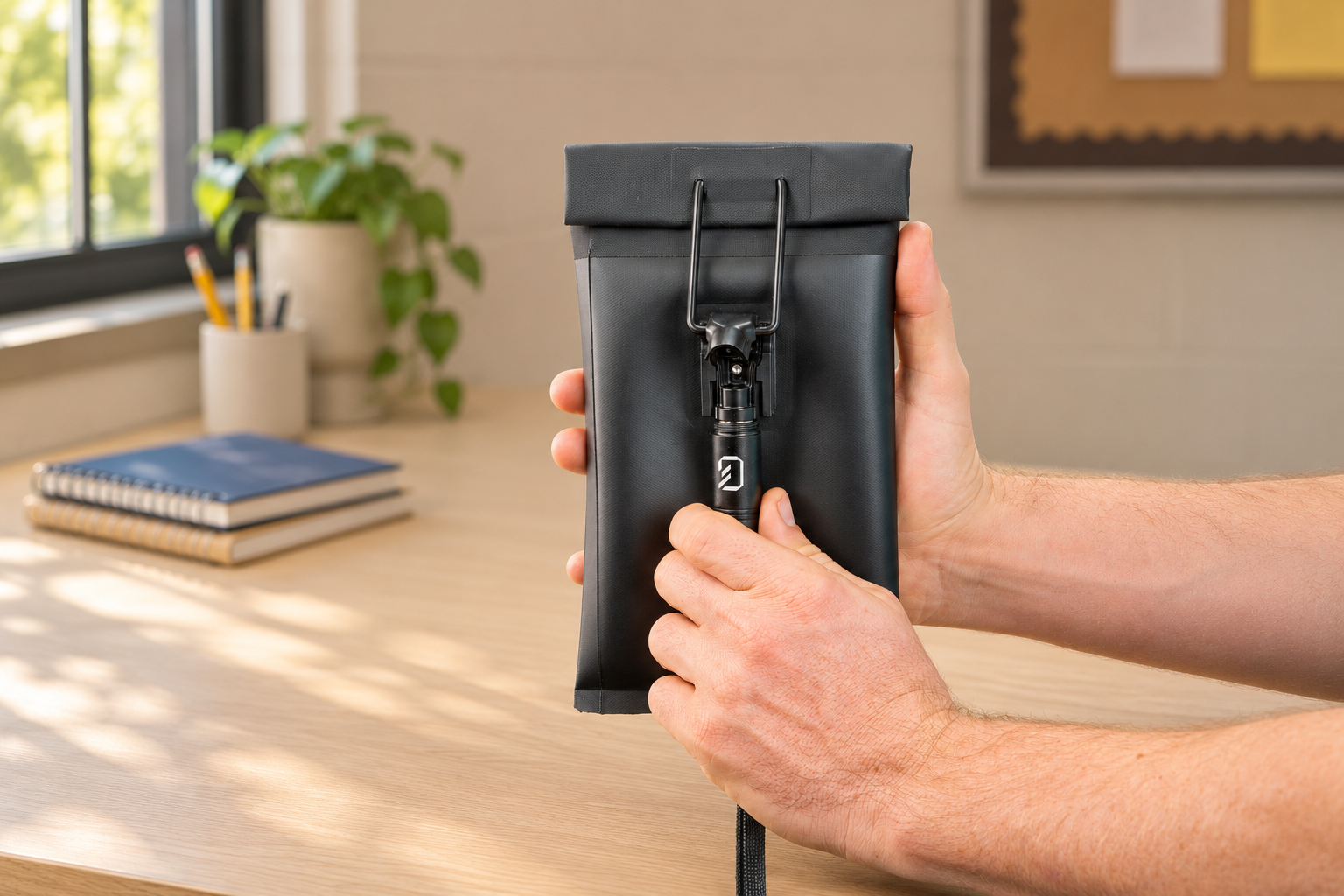
School-use concept: Staff using the cylindrical magnetic Unlocking Key at a Max Lock clasp in a school desk setting
Photo illustration · Native-reference magnetic key use.

Made for the staff routine

Small tool. Clear responsibility.

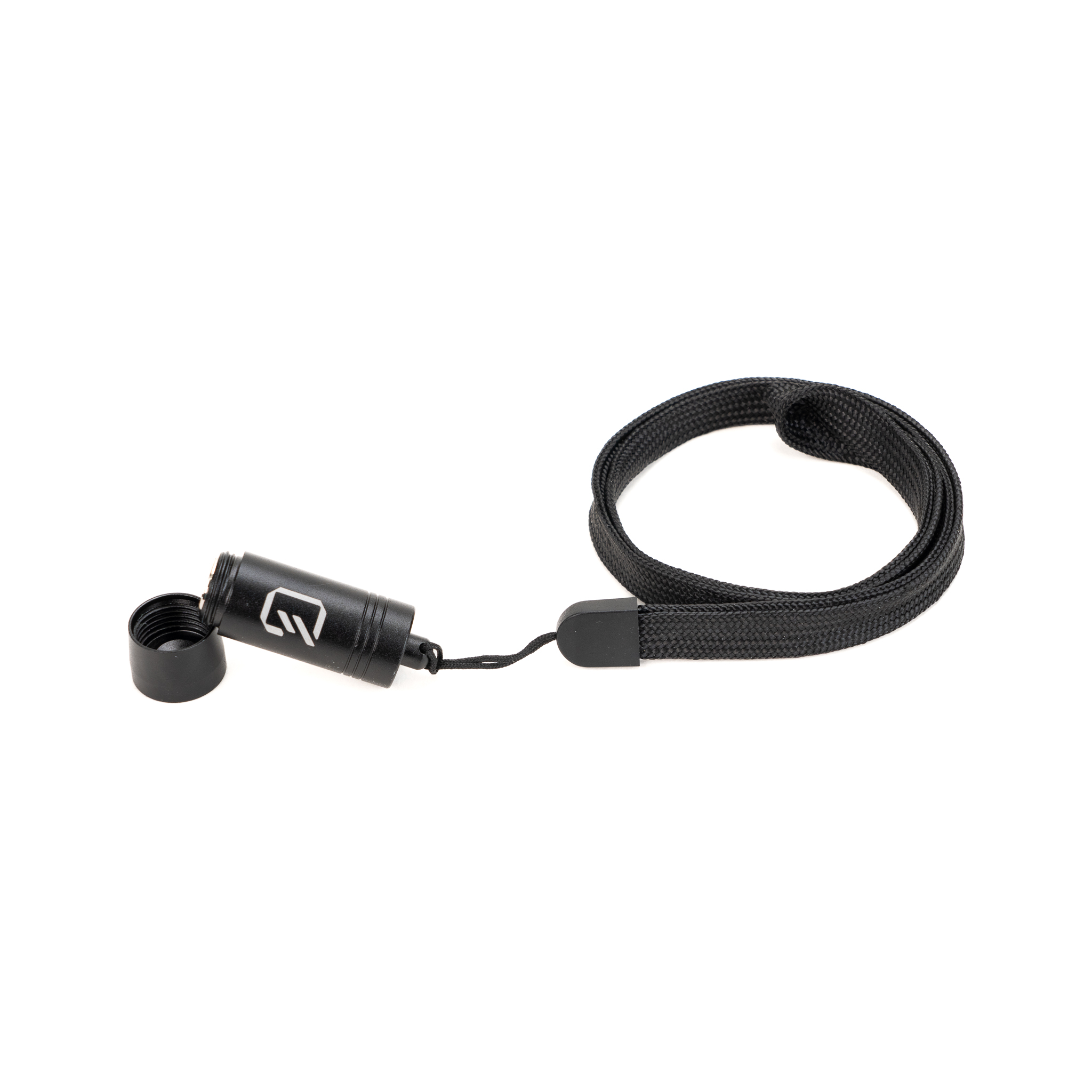
Unscrew the protective cap to use the magnetic tool with compatible Generation Faraday Max Lock bags. A neck lanyard keeps the key accessible for staff as they move around campus. Plan who holds unlocking tools and where spare tools are kept before your program begins.

Explore the original product views and configuration details. Select an image for a closer look.

Product code
GFUD-KEY
Release method
Magnetic
Original Unlocking Key product detail and use reference

Make the equipment part of the routine

Small enough to carry. Clear enough to account for.

The screw-off cap protects the magnetic end between uses. The attached neck lanyard keeps the tool within reach of the staff responsible for approved access.

Unscrew the cap.

Expose the magnetic end when the release tool is needed.

Align with the clasp base.

Press the exposed end to the instructed point on a compatible Max Lock mechanism.

Release and recap.

Complete the release and protect the magnetic end before carrying or storing it.

A closer look

A small tool for everyday staff access.

Keep the release tool close, protected and ready for the people responsible for unlocking bags.
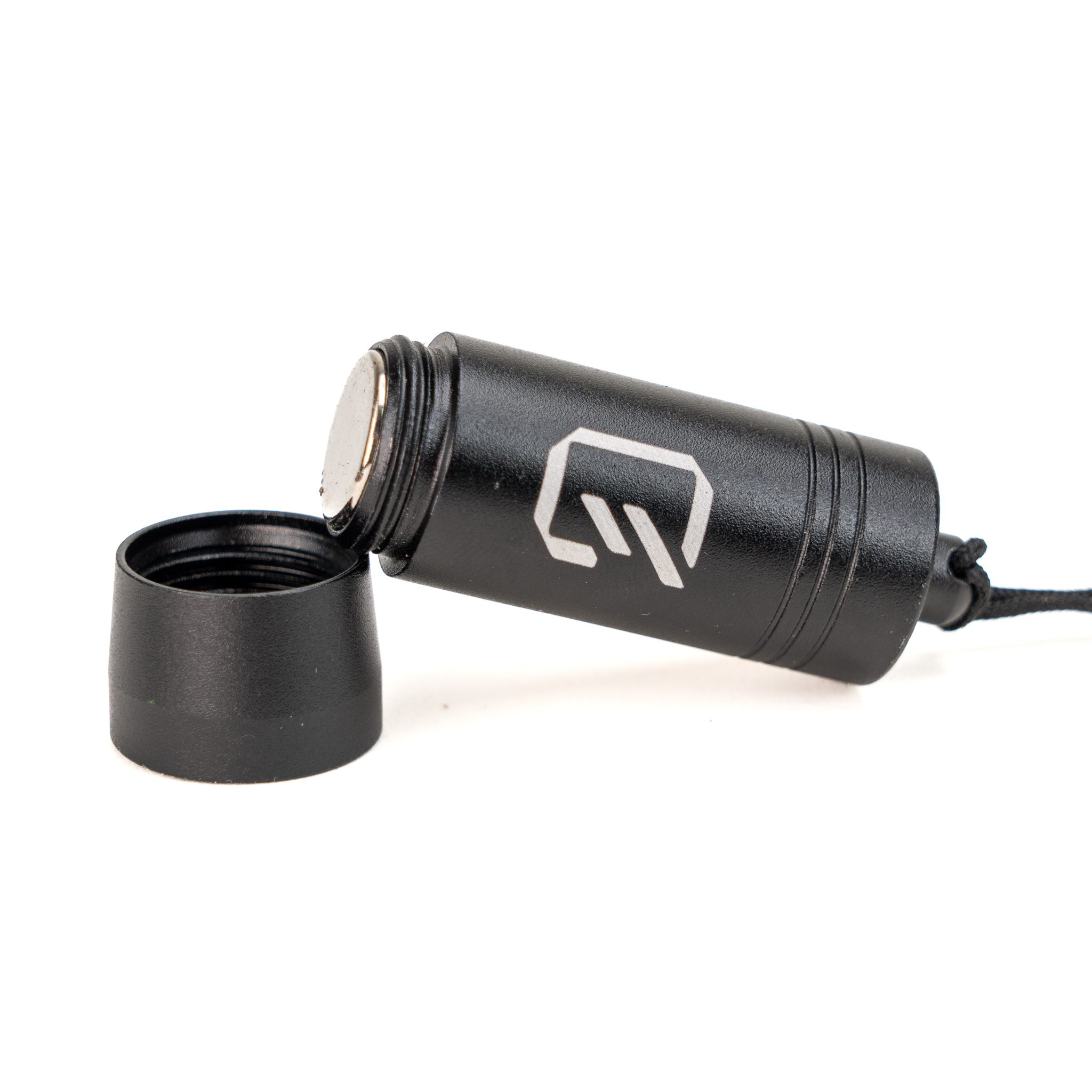
Protected between uses

Protected between uses

The screw-off cap covers the magnetic end when the key is not being used.
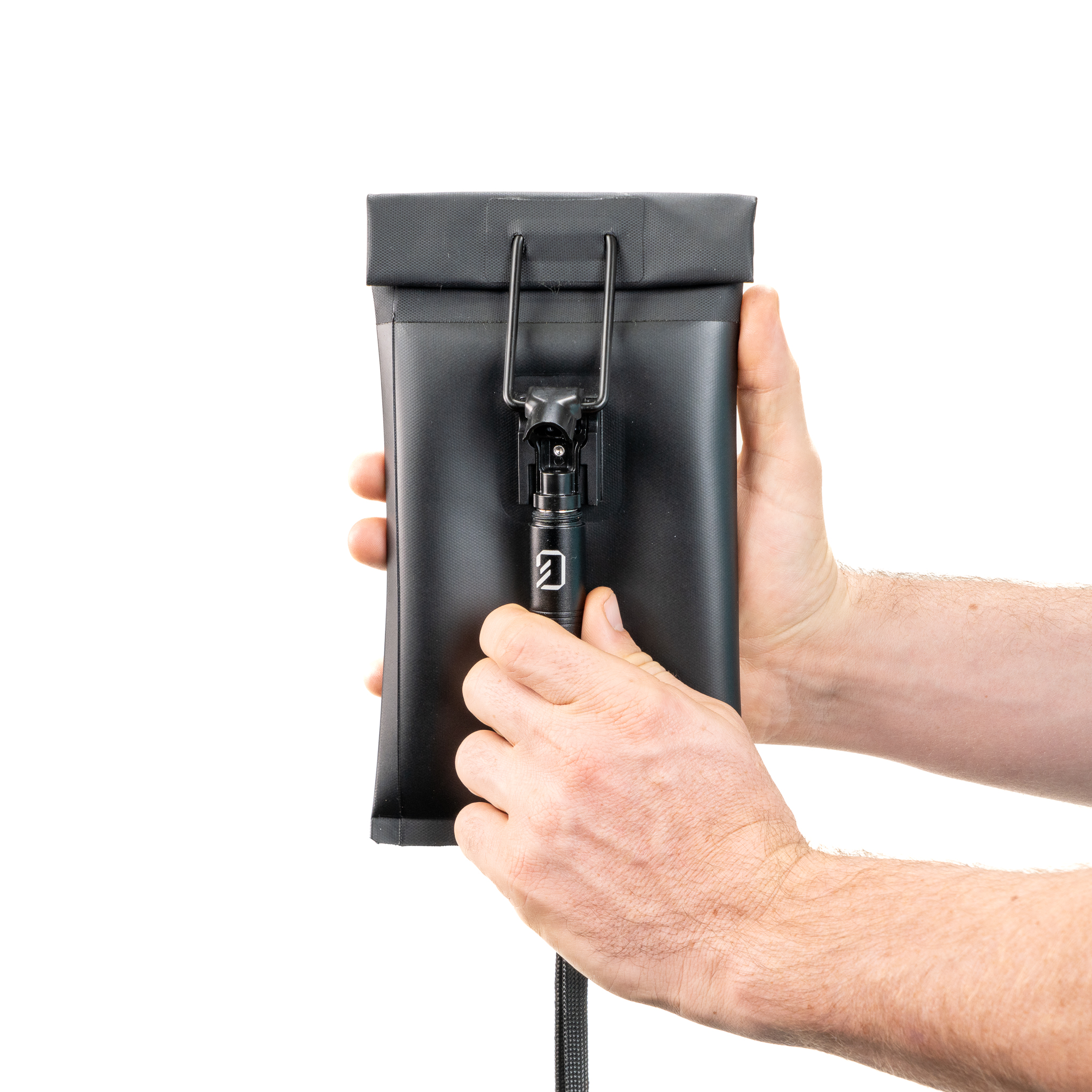
Release a compatible clasp

Release a compatible clasp

Press the exposed magnetic end against the base of a compatible Max Lock mechanism until it releases.

Keep it within staff reach

Keep it within staff reach

The attached neck lanyard helps staff carry the tool as they move around campus. Agree who holds keys and where spares are kept.

The essentials

Specifications, care and setup.

Product codeGFUD-KEY
Release methodMagnetic
ProtectionScrew-off cap
Carry formatAttached neck lanyard
Full product details

Specifications

  • Magnetic Unlocking Mechanism – Easily opens the locking mechanism on Generation Faraday locking bags.
  • Compact and Durable Design – Crafted from high-quality materials to withstand heavy use in busy settings.
  • Portable With Attached Lanyard – Handheld size unlocking tool with attached neck lanyard allows staff to easily carry and unlock bags anywhere on the go.
  • Protective Cap – Prevents unintended magnetic attraction to the Unlocking Key and unscrews easily to expose the magnetic side when in use.
  • Universal Compatibility – Designed to work seamlessly with all Generation Faraday locking bags equipped with the MAX-LOCK system.
  • SKU – GFUD-KEY
Setup & care

Usage & Care

  1. Remove Cap – Unscrew cap to access magnet.
  2. Unlocking a Bag – Hold the Generation Faraday Max Lock bag, press the Unlocking Key’s exposed magnet to the base of the bag’s magnetic lock until the lock releases.
  3. Cleaning – Wipe with a dry or slightly damp cloth. Avoid harsh chemicals or abrasives.

Plan your school setup

Give staff the right access tool.

Tell us where the product will be used, who will manage it and how it fits the school day. We’ll help confirm the configuration and compatible equipment.