
Searching for a Yondr phone pouch alternative for your school? Start with the routine you want students and staff to follow. A successful phone-management program needs more than a pouch: it needs the right access rules, equipment, storage, and support for your campus.
Generation Faraday offers locking and non-locking phone bags, signal-blocking and non-signal-blocking options, and classroom storage systems. Here are six questions to help you choose a solution that fits your school’s phone policy.
1. Who should be able to open the phone pouch?
Decide whether students should be able to retrieve their own phones or whether access should require staff assistance. That choice helps narrow your options before you compare individual products.
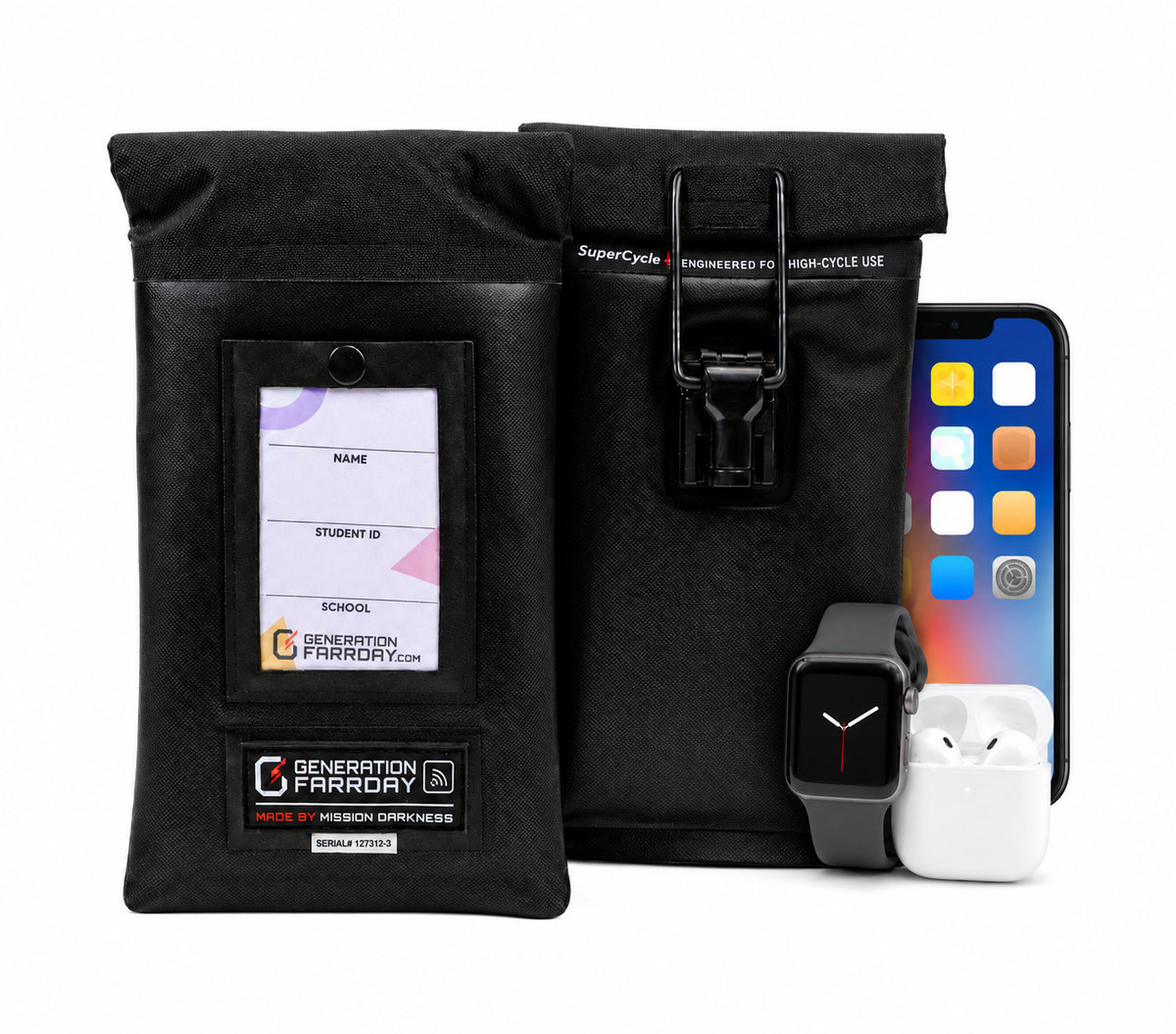
For staff-controlled access, Generation Faraday Max Lock uses a proprietary clasp-and-ring locking mechanism without a sharp locking pin. For routines that allow students to open their own bags, magnetic and Velcro closures provide other choices. Plan where unlocking will happen, who will assist students, and how your team will handle exceptions.
2. Do phones need to stay connected while stored?
A phone can be locked away and still connected. An unshielded pouch—including a standard, non-Faraday Yondr pouch—restricts physical access to the phone but does not block its wireless signals. A phone inside can remain paired with Bluetooth earbuds or a smartwatch, depending on device settings and range.
That means putting a phone out of reach does not necessarily stop audio from reaching earbuds or phone notifications from appearing on a paired watch. For schools trying to reduce connected-device distractions, the question is not only whether students can touch their phones, but whether they can continue interacting with them through accessories.
A properly closed Generation Faraday signal-blocking bag blocks the enclosed phone’s Bluetooth, Wi-Fi, and cellular connections. This interrupts the wireless connection between that phone and earbuds or a smartwatch outside the bag. The phone is physically stored and wirelessly isolated.
A smartwatch with its own cellular or Wi-Fi connection can still work independently when it remains outside the bag. Earbuds or watches may also play downloaded content without a phone connection. If your policy covers those devices, plan for their storage too; shielding the phone alone does not disable electronics outside the bag.
Choose signal-blocking bags when your policy calls for stored devices to be offline. Consider non-signal-blocking versions when devices need to remain connected, including where an individual accommodation calls for it. Confirm the exact model: Yondr also offers a Faraday configuration, so this distinction is between shielded and unshielded pouches.
When evaluating shielding, ask for published test results and check which materials or products were tested. Generation Faraday draws on Mission Darkness’s 10+ years of Faraday-industry experience serving military, police, and other professional customers. Our full comparison explains the available shielding evidence and the questions to ask suppliers.
3. Will the materials hold up to everyday school use?
Phone pouches for schools are opened, closed, carried, and stored repeatedly. Look at the closure, exterior material, seams, and replacement process—not just the purchase price.
Generation Faraday Max bags feature a waterproof TPU exterior. Pro bags feature a water-resistant ballistic nylon exterior. The range lets schools select both the closure and the material that suit their daily routine.
In published comparison testing, Max Lock lasted 10× longer on average than the competing bags tested, averaging more than 2,000 open-and-close cycles. That finding applies to the bags tested; it does not establish a result against every competing model or guarantee a specific service life in a school.
4. Will students carry their phones, or will classrooms collect them?
Student-carried pouches are one approach. Some classrooms prefer a designated wall, shelf, or collection point. Think through classroom space, collection time, and how staff will return the right device to each student.
- Wall or shelf storage: Phone Hotel and Class Phone Organizer accommodate classroom bag storage. The organizers provide physical storage; signal blocking comes from the Faraday bags used inside them.
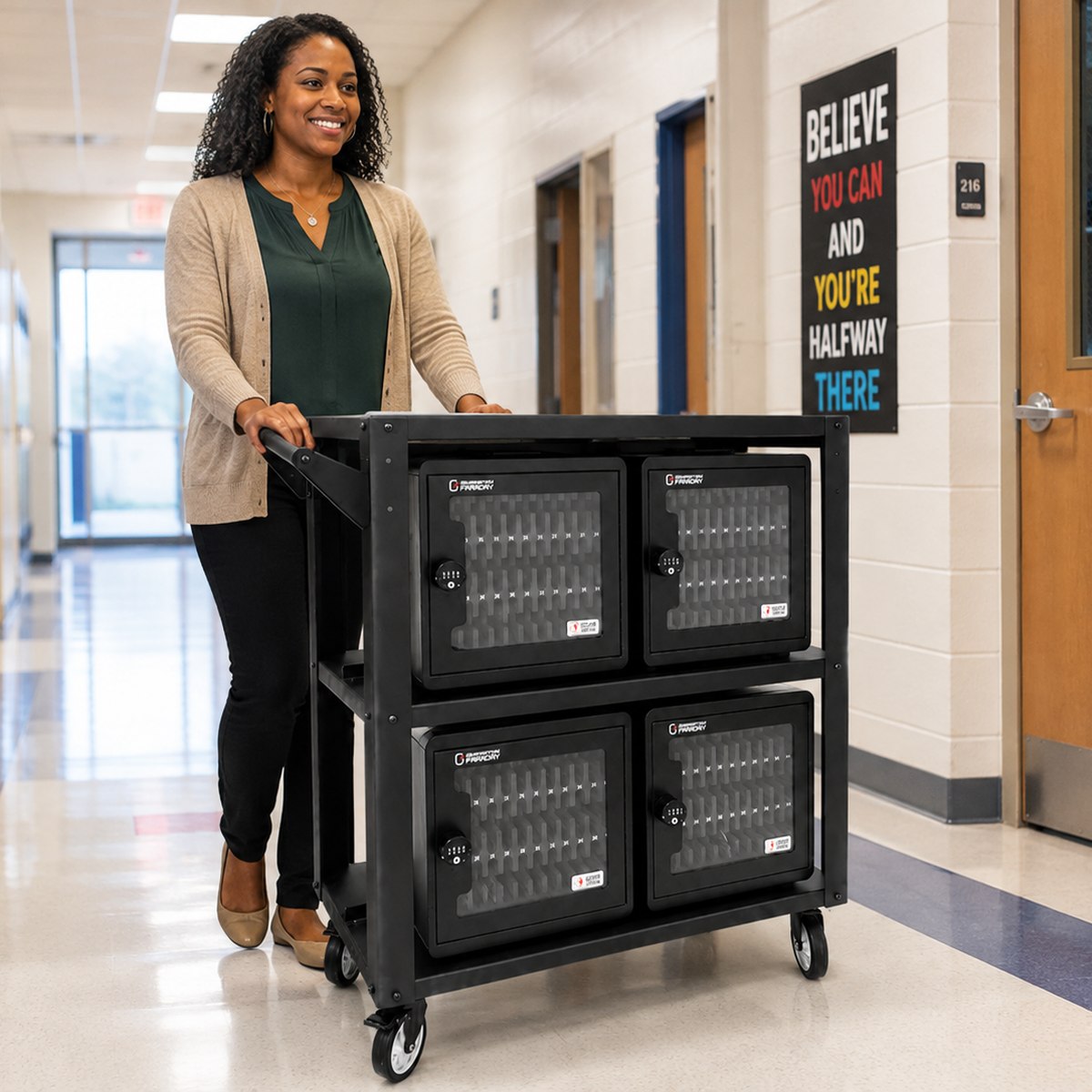
- Shielded classroom collection: the Shielded Box provides 36 numbered phone compartments in a hard-sided case with carrying handles.
- Larger collection needs: the shielded 4-Drawer Phone Drop Box holds up to 144 phones. The standard ClassKeeper Phone Storage System holds up to 288 phones and provides organized physical storage without signal blocking.
Explore Generation Faraday’s phone bags and classroom storage options to compare equipment around your collection routine.
5. How will staff manage assignments and exceptions?
Before launch, decide how you will track assigned bags, damaged or lost equipment, replacements, and reported issues. A clear process helps staff respond consistently.
The Generation Faraday App helps administrators manage bag assignments, inventory, condition records, and compliance follow-up. Pair those tools with a practical plan for distribution, daily access, and individual accommodations.

6. What is included in the complete school program?
Ask suppliers to quote equivalent quantities and configurations. Include unlocking equipment, storage, implementation, software, and replacement costs so your team can compare the complete program.
Also ask what support is available before and after launch. Generation Faraday’s five-step implementation process covers information gathering, planning, training, launch, and daily use with ongoing support.
Compare Generation Faraday and Yondr side by side
The right Yondr alternative is the one that fits your school’s access rules, connectivity needs, and daily operations. Generation Faraday gives schools a range of closures, exterior materials, storage systems, and administrative tools to build around those requirements.
For a closer look at the differences, read our Generation Faraday vs. Yondr comparison for schools. It brings the product details, testing context, and common questions together in one place.
Ready to explore a setup for your campus? Tell us your student count, preferred access rules, and connectivity requirements.